
September 10, 2026
The Science of Airflow: How Air Changes Your Draw
The science of airflow
Airflow changes a draw the moment you move it. A small adjustment shifts the draw from light and airy to dense and heavy without touching your cartridge, how much you take, or the rest of your setup.
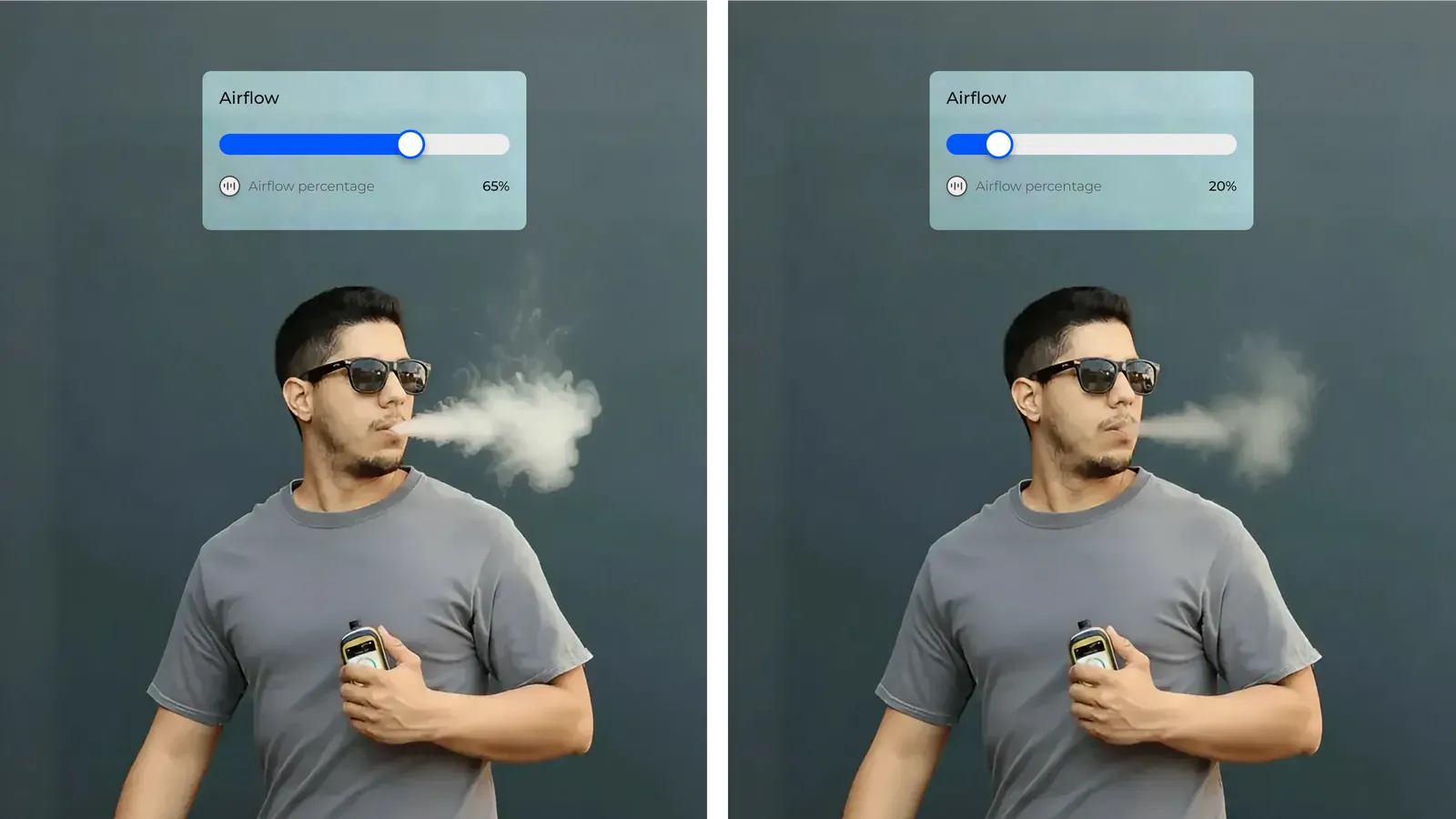
The mechanism is simple. The airflow slider sets how much air mixes with the vapor on its way to you. More air spreads the same output across a larger volume, so the draw arrives lighter and thinner. Less air concentrates it into a smaller volume, so the draw arrives heavier and fuller. You are not changing how much is delivered. You are changing what it is diluted with.
On Slyder Pro, airflow runs from 1 to 100 percent, set with a slider on the screen.
That single setting affects three things: flavor definition, vapor density, and how the draw feels to pull.

What airflow changes
Flavor definition
Airflow influences how “clean” or “defined” flavors feel during a session. When airflow is too restricted, flavor can feel heavier. When airflow is more open, flavor can feel clearer and easier to enjoy, especially across longer sessions.
Vapor density
This is the change the slider makes most visibly. Open airflow dilutes the output and the draw feels lighter. Restricted airflow concentrates it and the draw feels denser.
Draw feel
Airflow also sets resistance. Open airflow gives a loose, breathable pull. Restricted airflow gives a tighter pull that takes more effort to move. Same amount, different character.
How to set it
Treat airflow as a tuning control, not a preset you set once and forget.
- Start from your usual setup. Keep the amount the same, then use airflow as the one variable you adjust.
- Move in small steps. Small changes are easier to judge than jumps between extremes. Going straight from one end to the other tells you nothing about where you should have stopped.
- Keep what works. Once a setting matches how you like to draw, leave it there. That number becomes your baseline, and your draws become repeatable.

Quick reference
- Too dense or too harsh: open airflow slightly. You want a more breathable pull with the same setup underneath it.
- Too light or too thin: restrict airflow slightly. You want a denser feel without changing how much you take.
- Close, but not comfortable: airflow is the last adjustment to make before you change how much you take. It usually closes the gap on its own.
When you want to change something, change airflow first. It takes one move, it reverses in one move, and it tells you whether the problem was your setup or just the air.
Published by the Slyder Team
Explore more articles

Oct 19, 2026
Child Lock for Vapes: How a Password Lock Works
Most vapes lock with five clicks, and anyone can undo that. How a password lock is different.
Oct 19, 2026
Cart Not Hitting? How to Fix a Clogged, Burnt or Dry Cart
Most carts that stop hitting can be fixed in a minute. The usual causes, from the most common to the least, and what to do about each one.

Oct 19, 2026
Know Your Usual: How to Keep Track of How Much You Use
Habits are easy to forget. Simple ways to keep a log, compare your days, and keep track of a break if you take one.